
NFC RIPPER
Two phones. One captures the card, the other pays at the POS terminal. Connected through your server.
Android app + relay server + web panel. You put one phone in reader mode at the payment terminal (it acts as the terminal’s NFC reader). You put the other phone in tag mode and tap it on a real card to capture the card data. The two phones talk through your server: the “card” data is sent over the network to the “reader” phone, so the terminal sees a card and processes the payment. The dashboard shows connected devices, a live log, and detected payment amounts. For research and testing.
[FEATURES]
What the system offers:
Reader + Tag over network
One phone acts as NFC reader at the terminal, the other as NFC tag (card). All traffic is relayed through your server so the two devices can be in different places. The terminal thinks it is reading a real card.
PIN bypass (no PIN)
Optional CVM bypass: the app and/or server can replace the card’s “PIN required” (8E) with “No CVM required”, so the terminal may not ask for PIN. Enable in app Settings (Tag) and/or in server plugins
Record NFC traffic
Capture mode records NFC communication on the device (reader or tag side). You can save sessions for later analysis or reuse. All traffic is logged with timestamps and can be exported from the app.
Store cards for reuse
Save card dumps (e.g. tag ID and initial data) in the app. Stored cards appear in “Saved cards” and can be reused in Clone or Replay mode so you emulate the same card again without having the physical card present.
Clone and replay
Clone: Emulate a saved card (reader or tag side) from stored data. Replay: Replay a previously captured session so the device behaves like during the original capture. Both allow reusing captured or saved data for testing or compatible scenarios.
Web panel
Start or stop the relay server from the browser. See which phones are connected, session IDs, last activity, and a live log of every event with date and time. Filter by SYSTEM, Payments, READER, CARD, CVM bypass, etc.
Detected amounts
When payment-related data (amount and currency) is detected in the NFC stream, the dashboard shows a summary by currency and a table of latest EMV amounts with date and time.
Multiple pairs
Several reader–tag pairs can use the same server. Each pair uses its own session number (1, 2, 3…), so traffic stays separate and you can identify which pair generated which log lines.
Full control
Change server address and port, enable plugins (log, CVM bypass), optional TLS. Optional Telegram: every log line can be forwarded to a chat. Test Telegram button to verify.
[HOW IT WORKS]
In a few steps:
Run the relay server (on your PC or VPS). The web panel lets you Start it; it listens on a port (e.g. 5566).
Reader phone: In the NFC RIPPER app, set server Host and Port, choose a Session (e.g. 1), turn Relay ON in reader mode. The app connects to the server.
Tag phone: Same Host, Port, and Session (1), Relay ON in tag mode (HCE). It connects to the same server and pairs with the reader in that session.
Use it: Tap the tag phone to a real NFC reader (or the reader phone to a card). NFC data is sent to the server and relayed to the other device. The dashboard shows connections and a live log (including READER/CARD lines and, when detected, payment amounts).
[HOW THE APP LOOKS]
Real screenshots from the NFC RIPPER Android app:
App icon on home screen
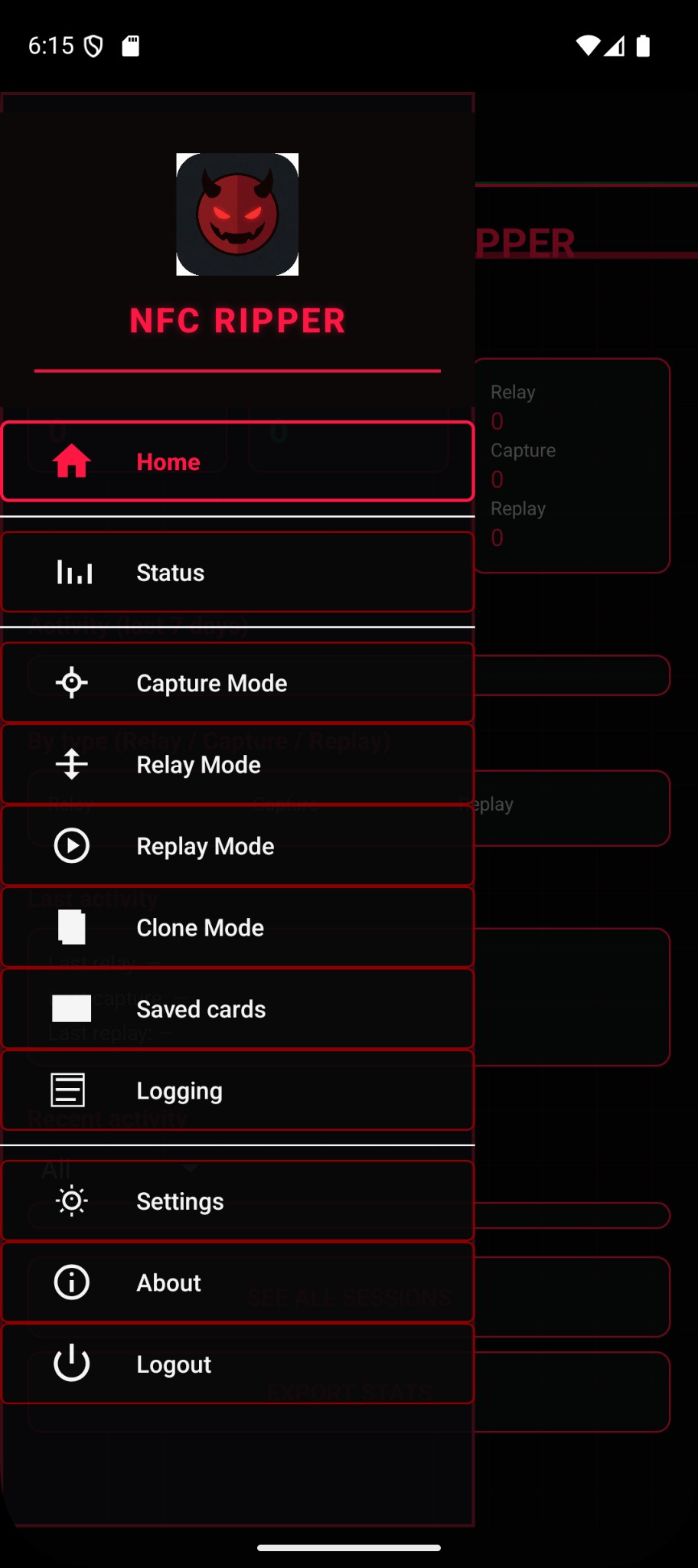
In-app menu: Relay, Capture, Clone, Replay, Logging
[APP IN ACTION]
Animated simulation: one phone captures the card, the other pays at the POS terminal. Data flows through your server.
Sequence: Card phone captures tap → data goes to server → reader phone receives it and presents to POS → terminal processes payment → both phones show completion.
[PRICING]
All packages include server hosting from us. Choose the plan that fits your needs.
Unlimited
$4,500
- Unlimited server slots
- Unlimited phones access
- Server host included
Source code: $5,000 — no server host included. Contact support for details.
[DOWNLOAD APP]
Get the NFC RIPPER Android app. One tap to generate and download.
After downloading, install the APK on your Android device (allow installation from unknown sources).
For access code, contact support.